
There has not been no active work on this blog for a few months now, mainly due to University work.
I have since sold the EeePc and brought the HP Mininote 2133, which for me has much better specs and a bigger keyboard.
If you do own a EEE, for maximum performance from the wonderful machine I would suggest:
*If using the default linux operating system, unlock the full adv mode - it is so much better.
*For Windows XP users, make sure you Nlite the install and search for the VGA scaling driver. This makes webpages inparticular look so much better. Don't forget useful applications: Firefox, VLC Player, Skype, LogMeIn to name a few!
*Anyone into computer security, hacking, network testing etc - install Backtrack 3 onto a SD card or removable media. This literally has almost every security tool you could need.
The EEE is great if you want to VNC into a home or office computer, there is a free version available (LogMeIn), this is great if you want to quickly look something up or work on a document on another computer away from home/office. I used this application via the EEE wireless to shut down any computers in the house at night before bed.
I am very pleased with the HP 2133 but will most probably eventually get another EEE when even cheaper.
Still check out my personal blog at :
www.cripters-curfew.blogspot.com
Farewell EEE
Showing posts with label EEE. Show all posts
Showing posts with label EEE. Show all posts
Tuesday, 10 June 2008

Sunday, 13 January 2008
Booting BackTrack3 on SD card/USB
I have tested this on a 1GB SD card this evening.
You need to download BackTrack 3 beta USB version then copy the folders: boot and bt3 to a formatted SD card or USB stick.
Now you need to boot up any version of Linux on a normal computer, I used a live CD copy of eeexubuntu but anything will do.I wouldn't suggest doing this on the EeePc due to chance of messing up the SSD.
Stick in either your SD card or USB pen and open the boot dir, here press Ctrl-Alt-T to open up the console window.
**MAKE sure you are in the boot dir**
I had to type: sudo bash ./bootinst.sh
Due to permissions on some of the files. Once you type this into the console window, another window will open, sayin BT3 will be installed to /sdb1 OR /sdb . Make sure this is the SD card or USB pen you wish to install on, as you do not want to overwrite your hard drive or SSD.
Simply press any key and it will install on the storage device.
Plug the device into your EeePC. Power it up and press ETC to enter boot options. From here simply select your SD card or USB pen and boom it will boot up in BackTrack 3 beta.
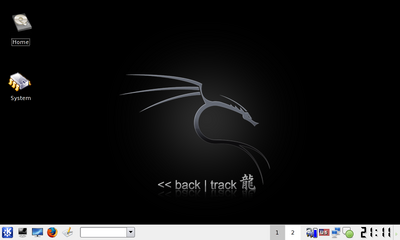
Enjoy!
You need to download BackTrack 3 beta USB version then copy the folders: boot and bt3 to a formatted SD card or USB stick.
Now you need to boot up any version of Linux on a normal computer, I used a live CD copy of eeexubuntu but anything will do.I wouldn't suggest doing this on the EeePc due to chance of messing up the SSD.
Stick in either your SD card or USB pen and open the boot dir, here press Ctrl-Alt-T to open up the console window.
**MAKE sure you are in the boot dir**
I had to type: sudo bash ./bootinst.sh
Due to permissions on some of the files. Once you type this into the console window, another window will open, sayin BT3 will be installed to /sdb1 OR /sdb . Make sure this is the SD card or USB pen you wish to install on, as you do not want to overwrite your hard drive or SSD.
Simply press any key and it will install on the storage device.
Plug the device into your EeePC. Power it up and press ETC to enter boot options. From here simply select your SD card or USB pen and boom it will boot up in BackTrack 3 beta.
Enjoy!
Subscribe to:
Posts (Atom)
